
Featured Extensions
2026-09-24
2026-09-23
2026-09-23
2026-09-22

 JUX Social Tabs 1.3.4Membership Pro 4.8TAGZ Open Graph Pro 6.1.1JSpeed 3.2.10Community Surveys 8.6.1HikaAuction 6.0.8CjForum 6.6joomla Calc Builder 6.0.2CartFlows Pro 3.3.1Astra Pro Addon 4.13.13
 Overview

 Joomla ExtensionsAccess & SecurityAdministrationAds & AffiliatesAuthoring & ContentCalendars & EventsClients & Communitieschats and ForumsContacts & FeedbackContent SharingCore EnhancementsDirectory & DocumentationStyle & DesignSite Managemente-CommerceEditorsFinancialHosting & ServersLanguagesLivingMaps & WeatherMarketingMigration & ConversionMiscellaneousSearch & IndexingMobileMultimediaStructure & NavigationNews DisplayBooking & ReservationsReal Estate and jobsPhotos & SlideshowSocial WebExtension SpecificSports & GamesToolsNewsletterSeo & metadataContent ConstructionformsPopups & iFramesBackupHelp Desk And SupportpollsData Import & ExportTable and listLogin/RegisterMenu SystemsUser & ProfileportfolioTabsRss FeedDatabase Managementdate and timePayments Site Analyticsjoomshoppingk2 extensionsAltaUserPointsVirtueMartHikaShopj2storeDJClassifieds Digicom ExtensionsJoomla TemplatessmartaddonsjoomshaperJoomDev templatesLthemeOrdaSoft Templatesinspirethemevinagecko templatesthemeforestyoothemeShape5Template monsterJoomlashine(JSN) TemplatesRsjoomlaRocket ThemeHOTthemeswarpthemejoomlarthtml templateGavickProBowthemejoomla51bestaddonjoomlabuffJoomla MonsterCmsboldjoomdonationJoomlabambooThemexpertjoomlaplateExtensions for joomlastackideasNooTheme9themestoretemplazamixwebtemplatesagethemesDj-extensionsJoomLeadVirtuemart TemplatesMobile JoomlaUnitemplatesJoomlaschoolWordpress PluginsWP Admin ToolsWP AdvertisingWP BackupWP Popup And IframeWP Calendars & eventWP Coming SoonWP Directory & ListingsWP E-Mail & NewslettersWP FormsWP ForumsWP Photo & GalleriesWP Help Desk – Live ChatWP Import & ExportWP Interface ElementsWP LMSWP Maps & WeatherWP MultiMediaWP User & ProfileWP Menu DesignWP MarketingWP language and speechWP news DisplayWP Page BuilderWP PaymentWp Access & SecurityWP SEO & OptimizeWP sports and GamesWP SliderWP Social Media PluginsWP UtilitiesWP shopWP Login And Registerwp Booking & Reservations wp Search and FiltersEDD PluginsWP file and downloadswp contact & feedbackWP Table and listWP Style & DesignWooCommerce Pluginswordpress Themeswp Blog templateswp BuddyPress templateswp Business templateswp Corporate templateswp Creative templateswp Directory & Listings templateswp eCommerce templateswp Education templateswp Miscellaneous templateswp Mobile templateswp Multi Vendor templateswp Multipurpose templateswp Newspaper – Magazine templateswpReal Estate templateswp Technology templateswp Restaurant templatesMagento ExtensionsPrestashop modulesPrestashop TemplatesSoftwaresLearningother ScriptsMobileApp And Source CodesWeb design & Graphics ToolsFree Downloadfontsshopify TemplatesAI Tools
It is unfortunate, but true, that fraudulent transactions fuel a large sector of the eCommerce industry. To safeguard your customers and minimize potential risks, prompt action is crucial. When a fraudulent transaction or a velocity attack is made via your online store, it is of paramount importance to act swiftly use WooCommerce Anti-fraud for fraud prevention to (a) ensure your customers aren’t affected and (b) minimise hassles for you, as the store owner.
Introducing WooCommerce Anti-Fraud – your powerful ally in the fight against fraudulent transactions. It’s the best fraud prevention software for online businesses! Using WooCommerce Anti-Fraud’s payment fraud prevention tools, is designed to help you pick up fraudulent transactions & credit card fraud and catch them as they happen. This plugin scans and blocks fraudulent activities in real time. It assesses every transaction on your online store with advanced scoring rules, providing peace of mind and safeguarding your business.
This WooCommerce plugin is ideal for store owners who want to:
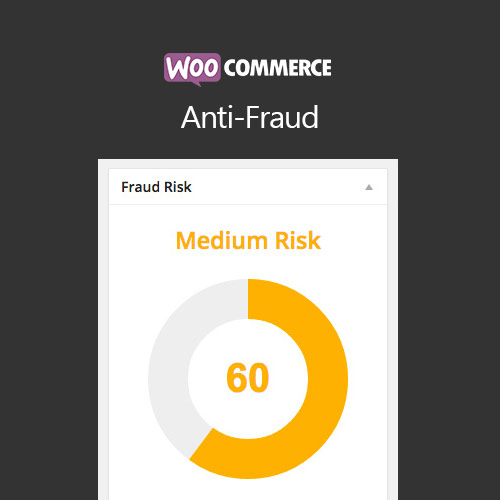
WooCommerce Anti-Fraud automatically assigns a risk score to each order on a scale of 1 to 100. The higher the score, the greater the likelihood of the order being fraudulent. This is called the risk score.
Examining the risk score enables you to quickly evaluate the potential risk associated with the transaction and take the appropriate defensive actions. You can find the risk score and receive advice for each order directly within the WooCommerce admin panel.
Beneath the risk score, users can see any warnings linked to the order. The advice provided is related to the rules in place (for example, if a customer’s IP address doesn’t match the billing country). The higher this number is, the more likely it is that the order is potentially fraudulent.
If a potentially fraudulent transaction is detected, the WooCommerce Anti-Fraud will automatically block or prevent these orders based on your specific configuration. The plugin can easily be configured to perform one or more of the following automated actions:
In the plugin’s settings, you can change when these actions are triggered according to their risk score. For example, you may only want to automatically cancel orders if their risk score is higher than 90.
Bypass user roles, payment methods and emails from fraud rules by whitelisting them.
WooCommerce Anti-Fraud works out of the box – no need for additional rule configuration. We have defined a collection of default rules that automatically assess and scores each transaction. These pre-configured rules are suitable for most online stores. Moreover, you can easily customize the rules to suit your preferences with just a few clicks and to place higher or lower importance on specific factors/rules.
Evaluate customers before they make actual purchases through your Payment Gateway.
Payment Gateway or Bank warning you about too many fraudulent transactions? Pre-payment Verification can help.
If the risk score reaches a high-risk order range, the customer order will be denied in advance, a custom message will appear on the checkout explaining the reason for denial. Add a custom message by typing in the text area in the pre-purchase setting.
The WooCommerce Anti-Fraud plugin lets you assign a ‘risk weight’ to each risk factor. This means that you can decide how important each risk is and configure this to your specific sotore. The higher the risk weight for each category, the higher the consideration will be given to the rule in calculating the overall risk score when the risk is detected.
WooCommerce Anti-Fraud plugin has the following features:
Identify first-time customers or their initial order in a processing state. This rule also allows you to
recognize new customers. Allow Antifraud to understand and make it easier for your existing clients to shop and repurchase.
